Hands-On Observability
Introduction
This use case examines an API that the application uses to process credit card payments with a third-party application.
Payment API Availability
Use the credentials as described in login to AppDynamics, to access the AppDynamics controller.
Open your TeaStore FSO Dashboard using the steps below.
- Click on the Dashboards & Reports tab on the top menu
- Double-click on the dashboard you see in the list (there should be only one)

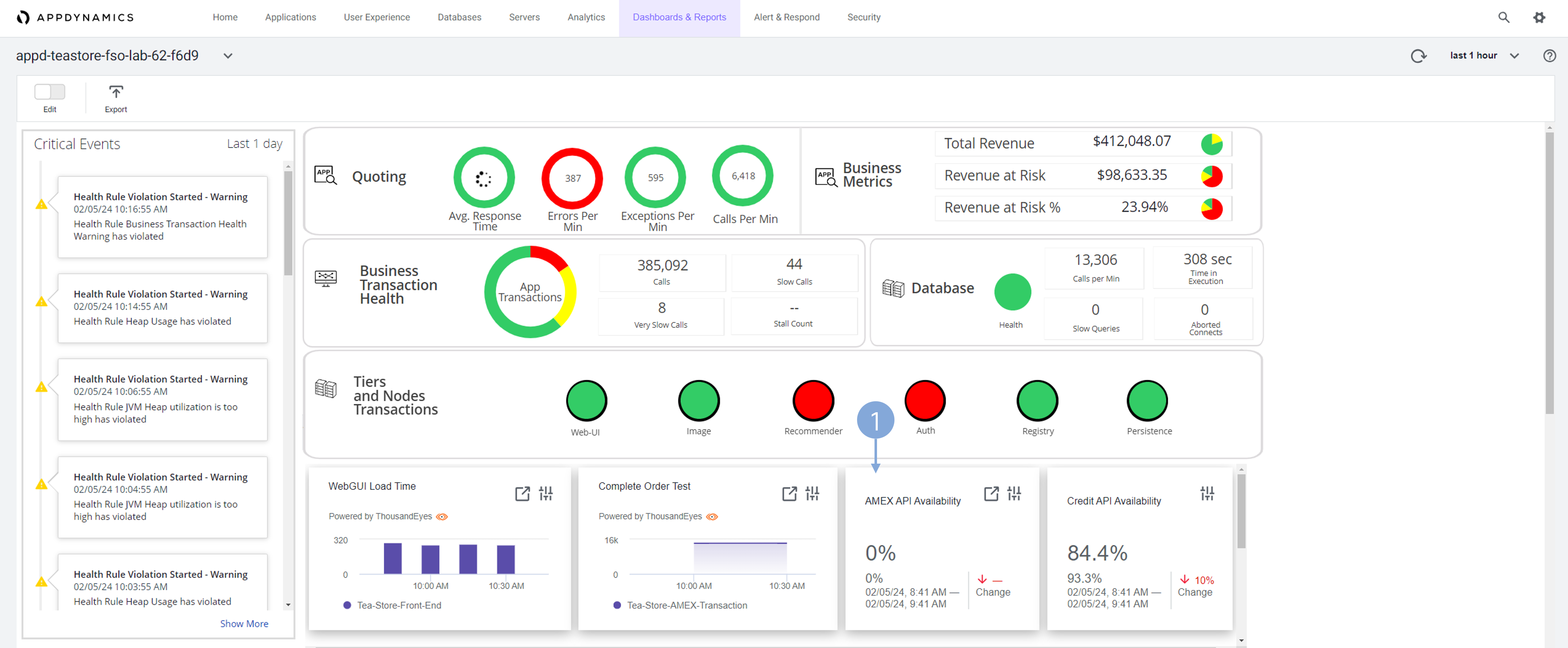
Scroll to the tiles below Tiers and Node Transactions and notice that the AMEX API Availability is 0 percent. This percentage means that any application component that uses this API cannot complete a transaction.
- Double-click on the AMEX API Availability widget to delve into ThousandEyes and investigate the status of the dependency.
If you need to login again to ThousandEyes, follow the process in login to ThousandEyes guide.
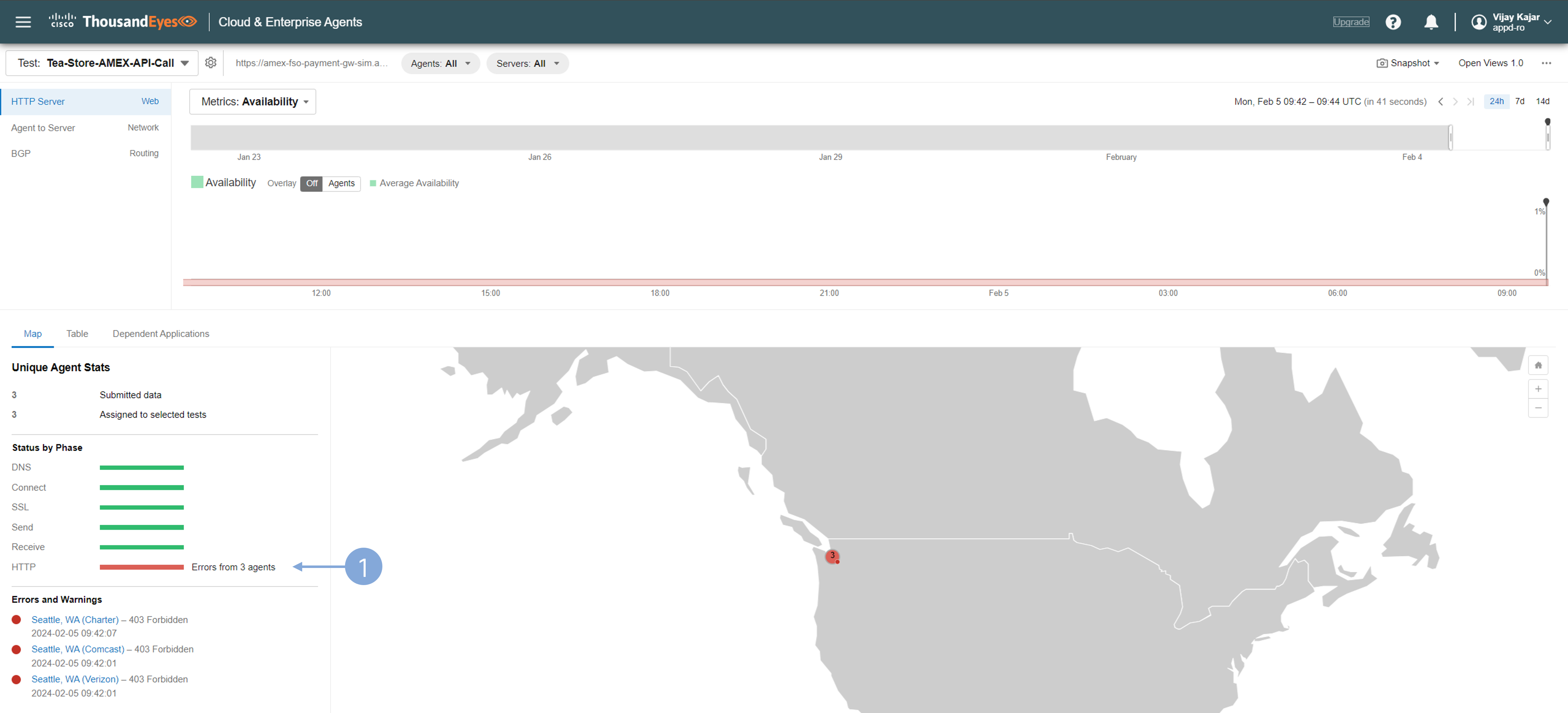
See the HTTP Server performance.
- Status by Phase immediately suggest that there is a problem on the HTTP side.
Before making final conclusions, make another check that it’s not the network.
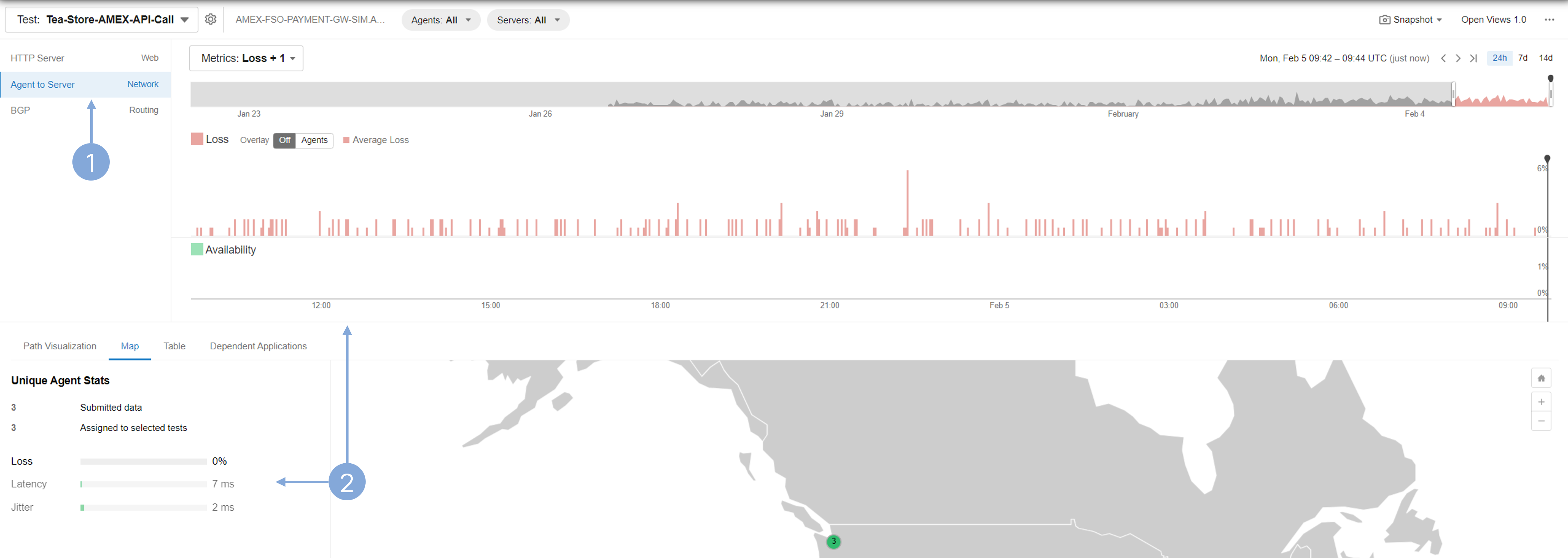
Inspect the Network layer.
- Click the Agent to Server test view.
- Review the graph and network metrics; you’ll notice minimal TCP packet loss, and both latency and jitter appear not to be contributing factors to the issue.
Inspect the Web layer again.
- Click the HTTP Server test layer
- Select the Map tab.
- See the HTTP response code 403.
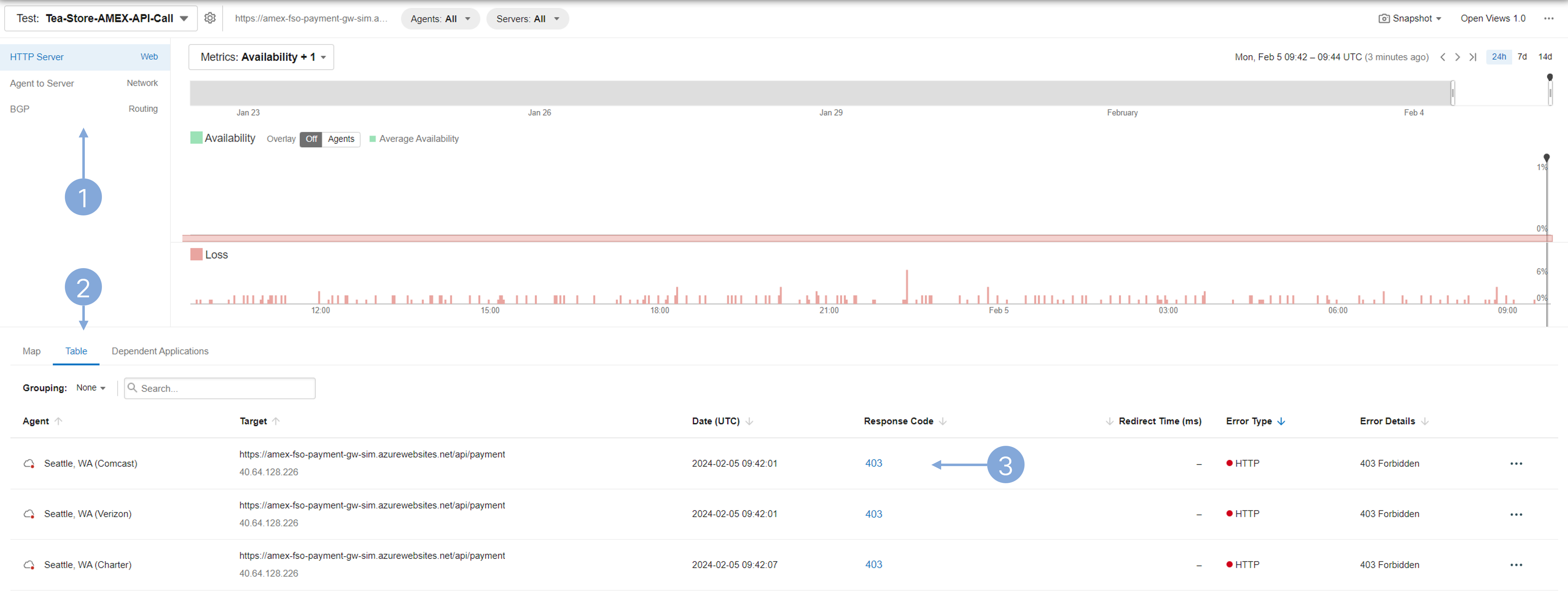
This view indicates that there is a problem with request authorization to the payment gateway.
Dependencies tested by Test Recommendations
The tests created using Test Recommendations provide users with a simple way to create them, based on what is AppDynamics’s view of application dependencies. The tests created using this method are automatically tied to Cisco AppDynamics, and provide you with additional ThousandEyes dashboard widgets, where you can see the performance of the applications from AppDynamics perspective. See Test Recommendations for setup instructions.
If you need to login again to ThousandEyes, follow the process in login to ThousandEyes guide.
Observe the test created from Test Recommendations.
- In the left menu, select Views.
- Select the appd-teastore-fso-lab-* test.
- The test naming is done automatically from the recommendations.
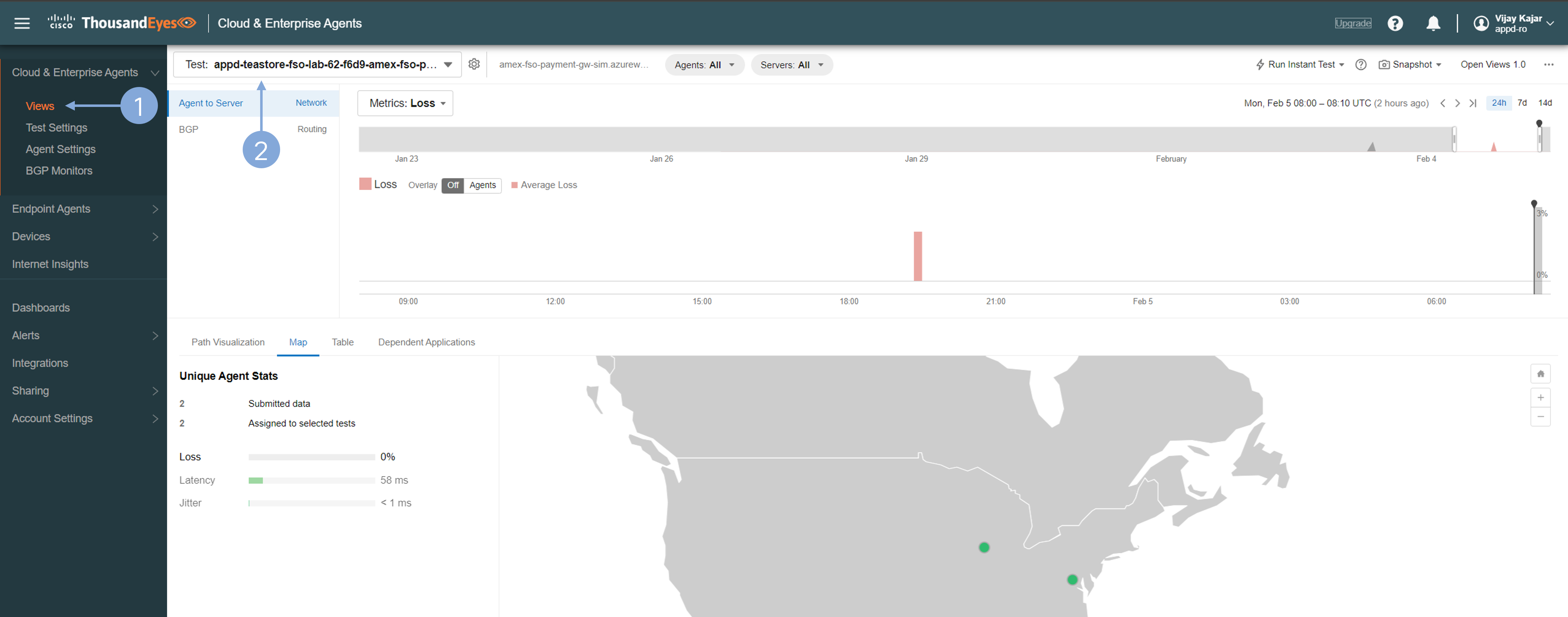
The test layers in tests derived from recommendations are identical to those in any other ThousandEyes test. Currently, only Agent to Server tests are supported in the Test Recommendations feature.
See the test Dependent Applications.
- Select the Dependent Applications tab.
- Inspect the list of all applications that use the dependency.
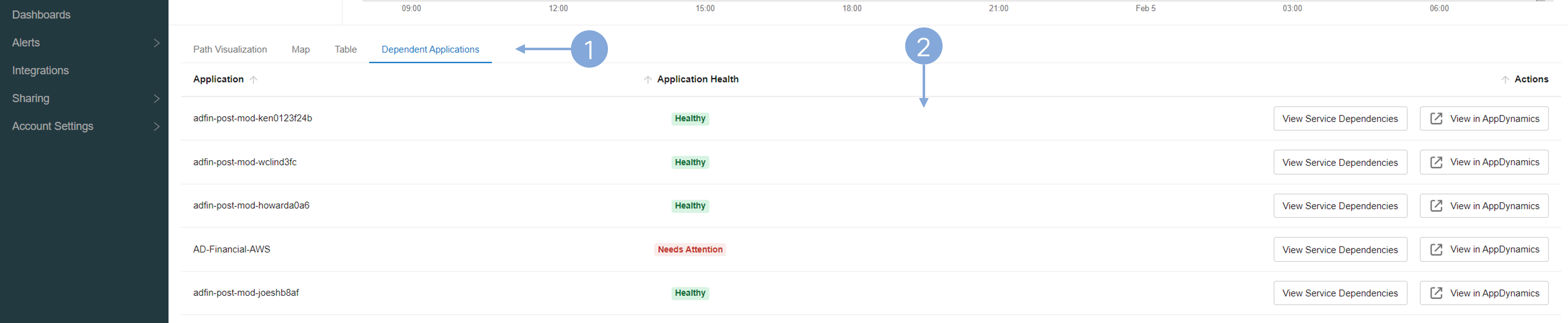
Observe that multiple applications share the same payment gateway dependency.
Check the Dashboard made from the test recommendations.
- In the left menu, navigate to Dashboards.
- From the dropdown menu, select App Dependency Dashboard.
- See the Application Service Health widget which is available only for tests created from the recommendations.
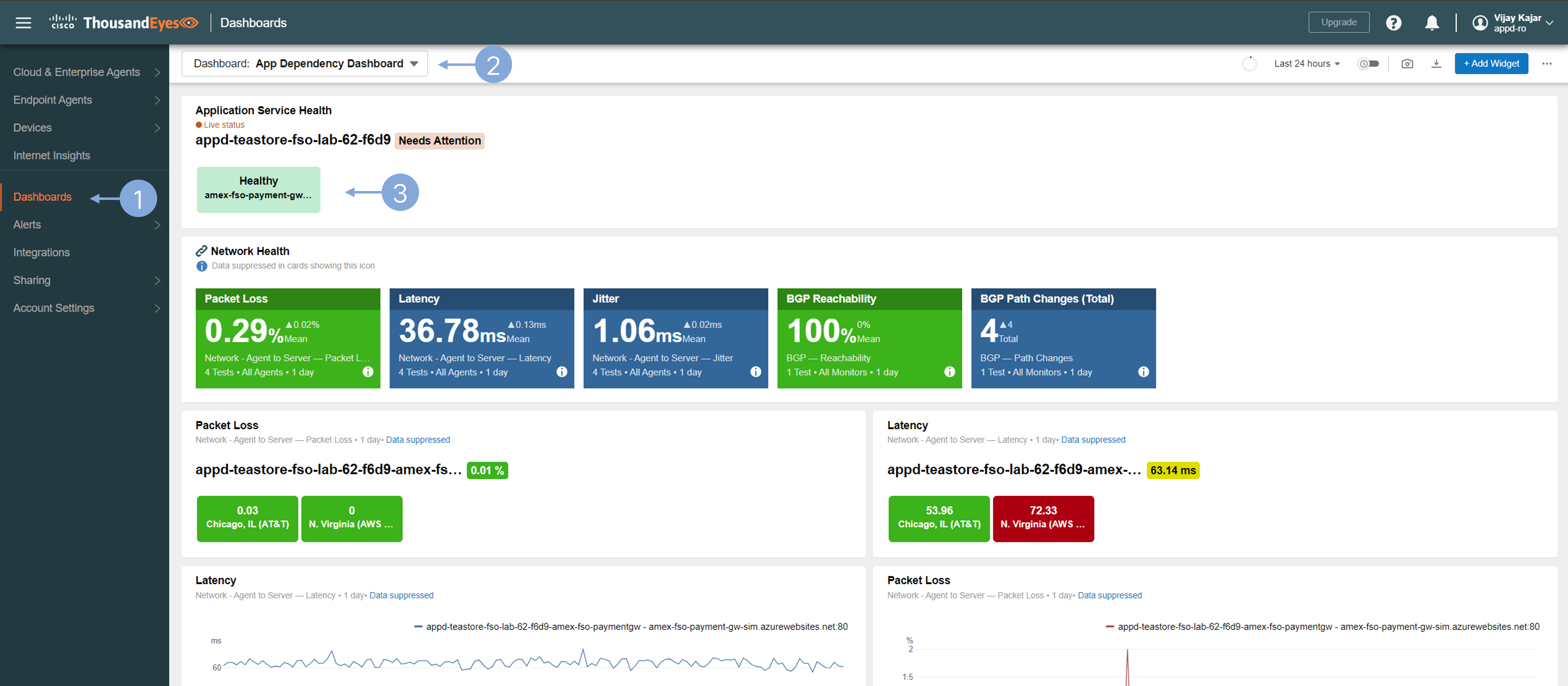
Leverage the Application Service Health widget in ThousandEyes for a swift transition to Cisco AppDynamics..
- Click the health status widget.
- Under Test Name, click the name of the application.
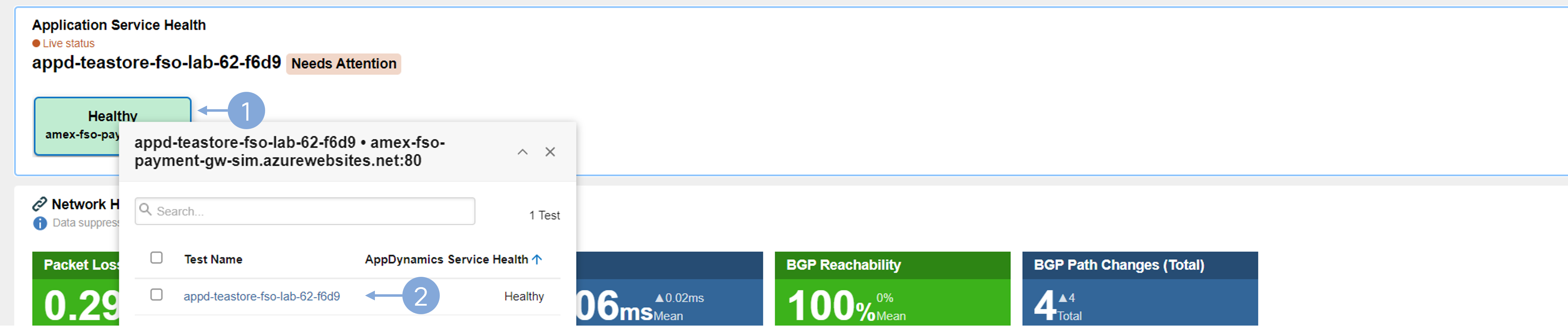
Clicking the link will direct you to the relevant application dashboard within Cisco AppDynamics. Should login be required at the AppDynamics controller, utilize the credentials provided in login to AppDynamics.
Inspect the application dependency in Cisco AppDynamics.
- Select the backend named amex-fso-payment-gw-* on the application dashboard’s Flow Map and examine its metrics.
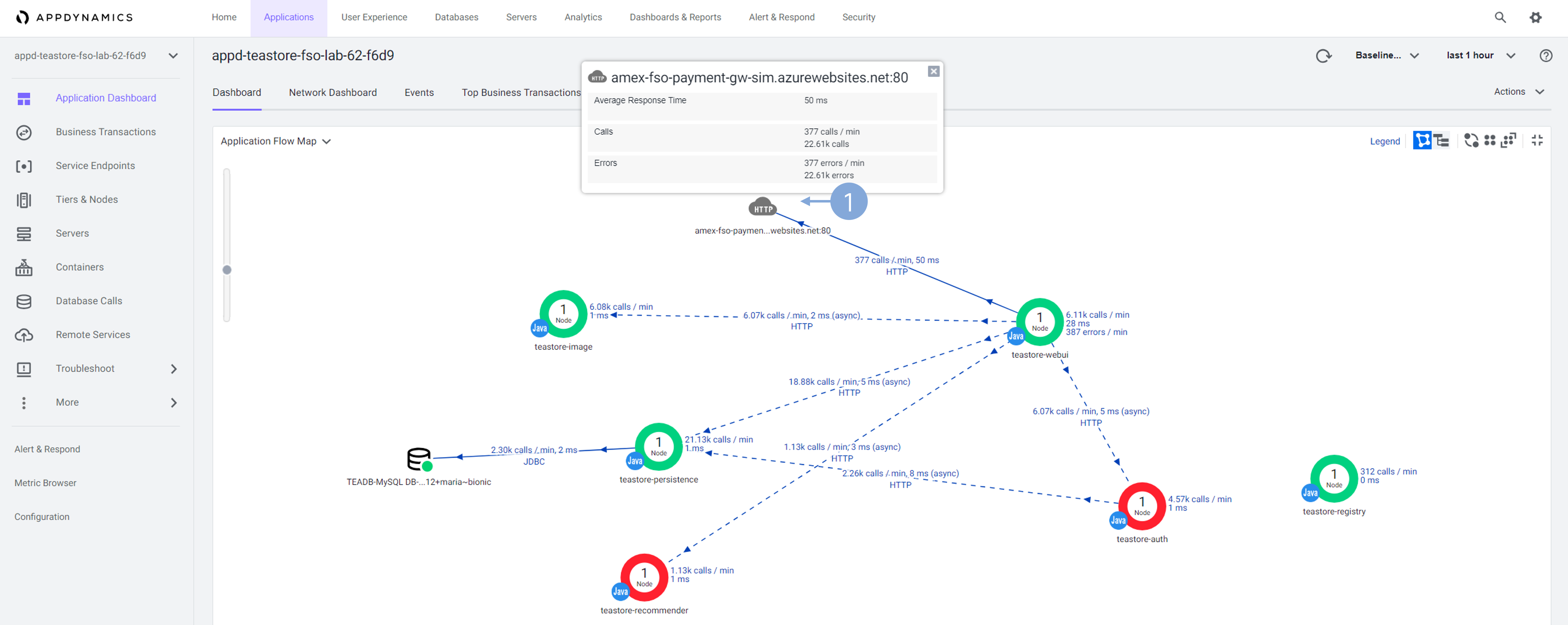
By leveraging the connection between application dependencies in Cisco ThousandEyes and AppDynamics, you can seamlessly transition from monitoring dependencies from a network perspective to evaluating them through application performance monitoring.
Next
Last step!