TE Test Recommendations
Introduction
In this section, you will learn how to integrate ThousandEyes and AppDynamics to generate network tests from the recommendations that ThousandEyes has created using the services already discovered in AppDynamics.
Configure Test Recommendations Reference Only
Configure bi-directional integration with Test Recommendations in the ThousandEyes platform.
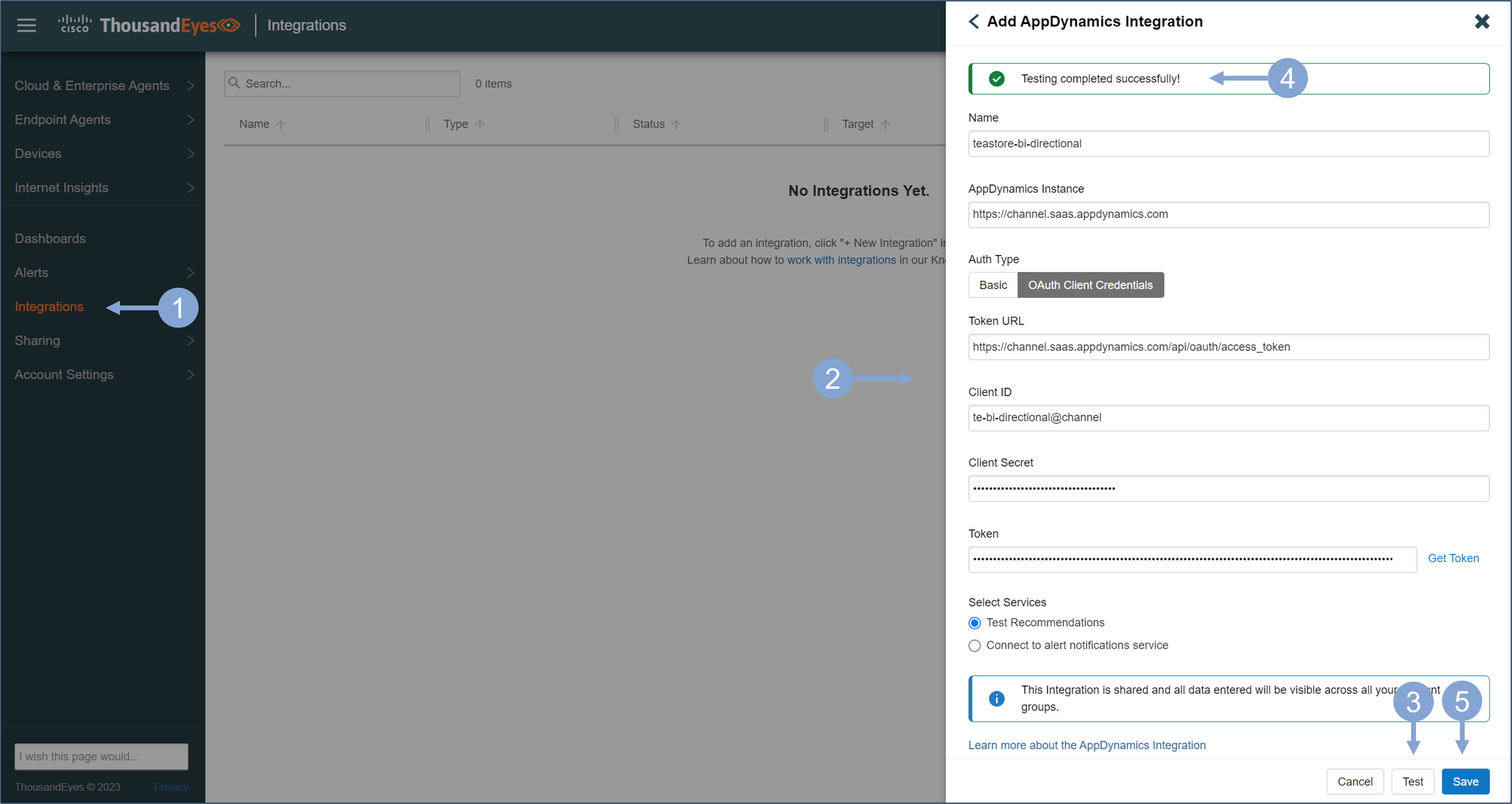
- In the left menu, select Integrations and click on + New Integration
- Select AppDynamics integration when prompted
- Provide the integration details, and make sure you select Test Recommendations radio button
- You can use basic authentication or API client from AppDynamics
- Click the Test button to ensure that communication works with the specified credentials
- You should see the confirmation that the test was successful
- Save the integration
- Note that this integration does not only apply to one account group, but is visible for all account groups in your organization
Next, create the recommended tests in Cisco ThousandEyes that are suggested as part of the bidirectional integration with Cisco AppDynamics.
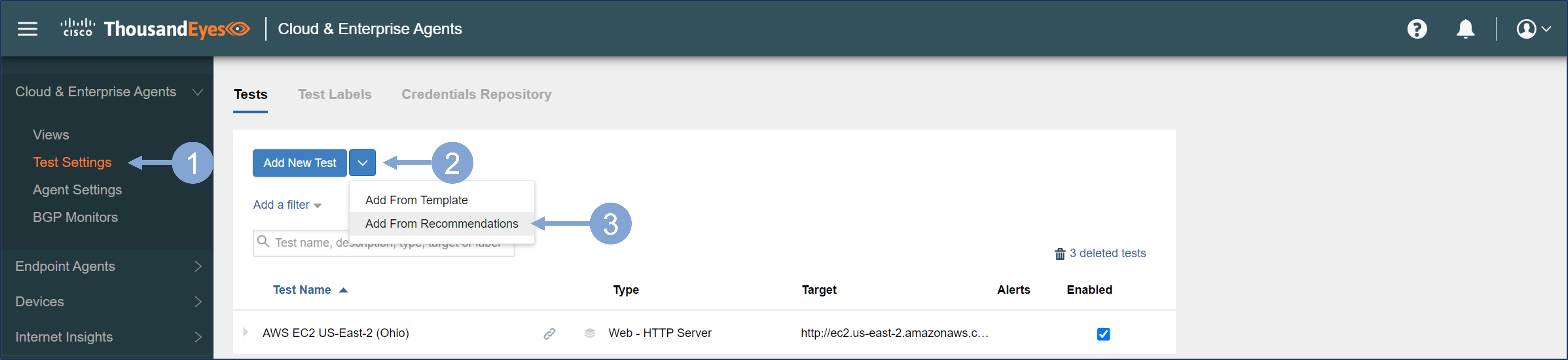
- In the left menu, under Cloud & Enterprise Agents, select Test Settings
- Click the dropdown next to Add New Test
- Select Add From Recommendations
There may be several business applications that ThousandEyes has included through bidirectional integration with AppDynamics. These are the applications that are currently monitored by the AppDynamics controller, and seen by the user or API token used for the integration.
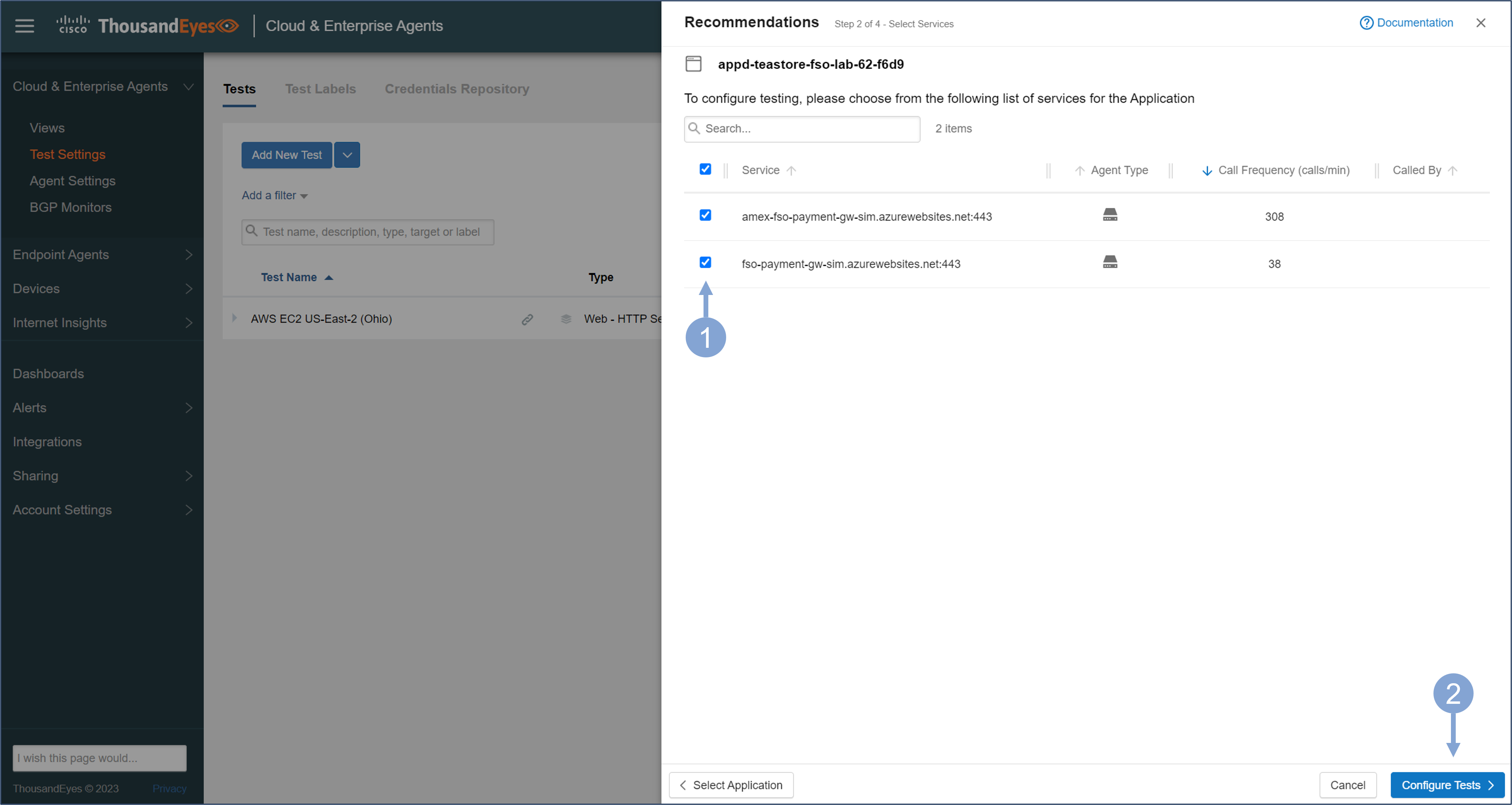
- Select the application for which you want to create the tests

The connection between AppDynamics and ThousandEyes brings information about the services you monitor with AppDynamics into ThousandEyes. Based on this information, the ThousandEyes platform recommends tests and test configurations to bring you full visibility into these services.
- From the list of dependent services, select the ones you want to monitor with ThousandEyes
- To configure tests for the selected services, click Configure Tests
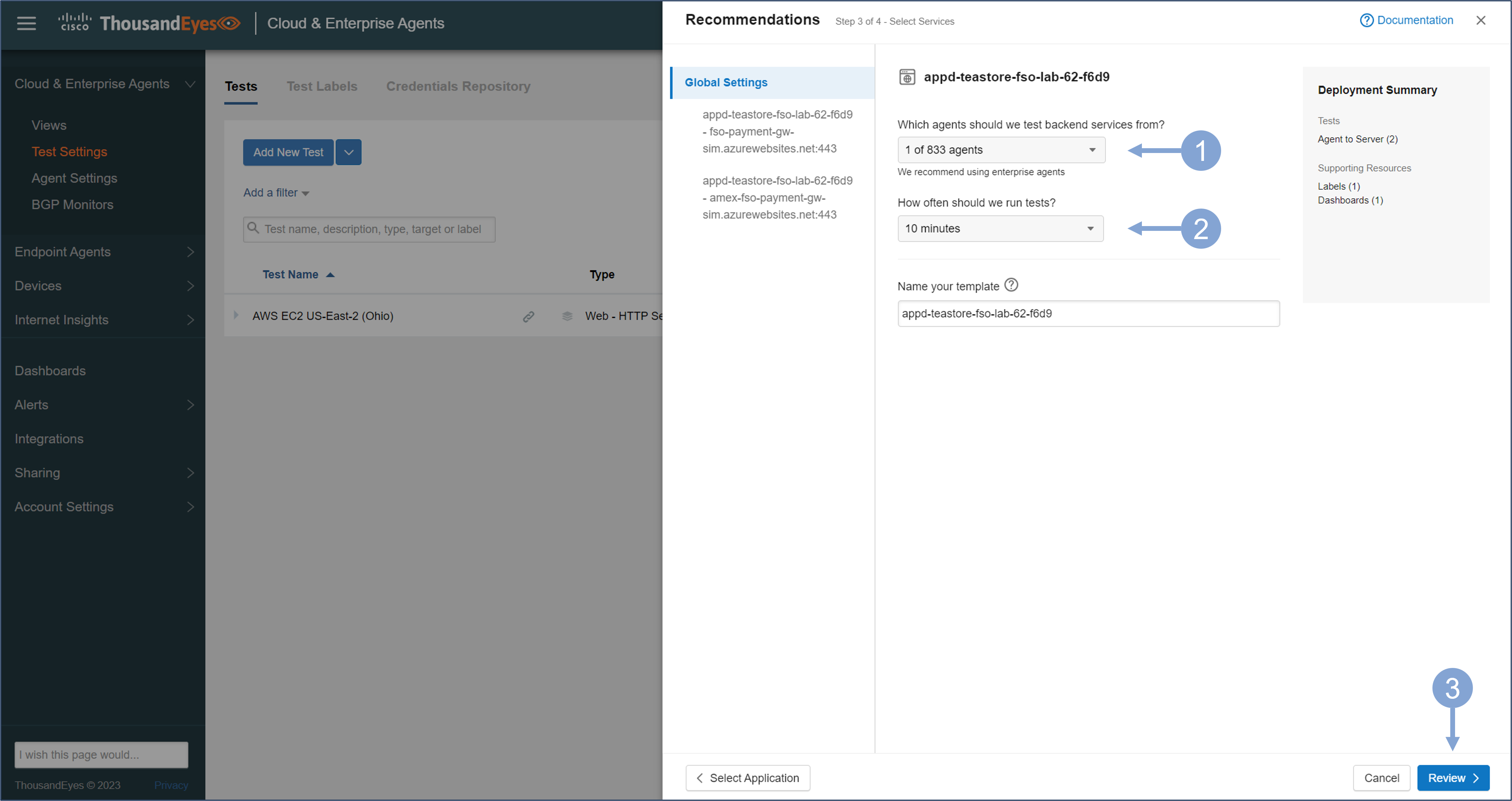
Once you have selected the services, you need to configure the tests. When creating tests based on the recommendations, the Agent to Server test is currently supported.
- Select one or more agents from the list of available vantage points
- Configure the time interval for test execution
- Click Review for a final review of the test settings
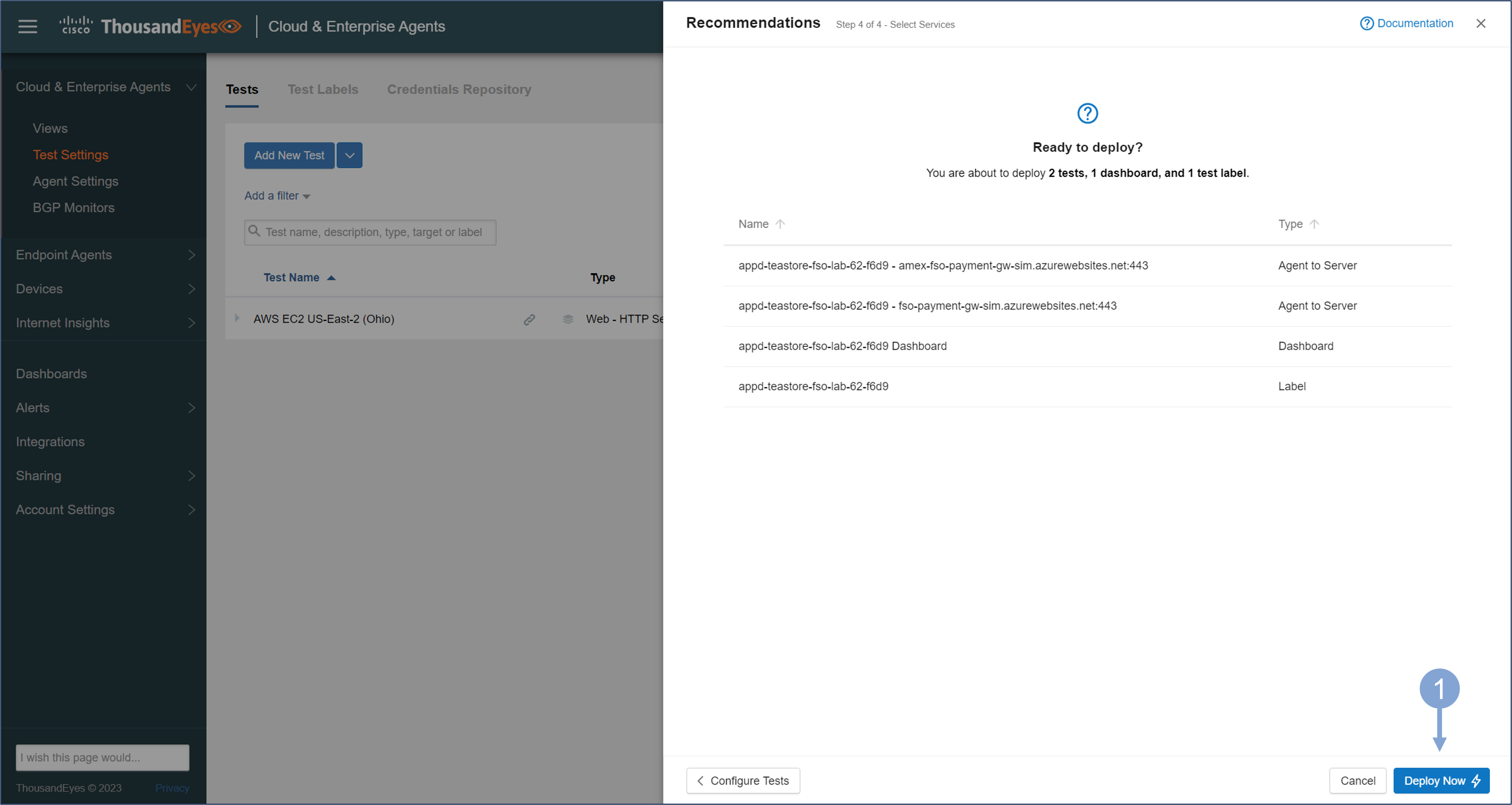
The recommendations generate Agent to Server tests for the selected services and a dashboard showing the status of the tests and the health of business application, as provided by AppDynamics.
- Click Deploy Now to deploy the tests
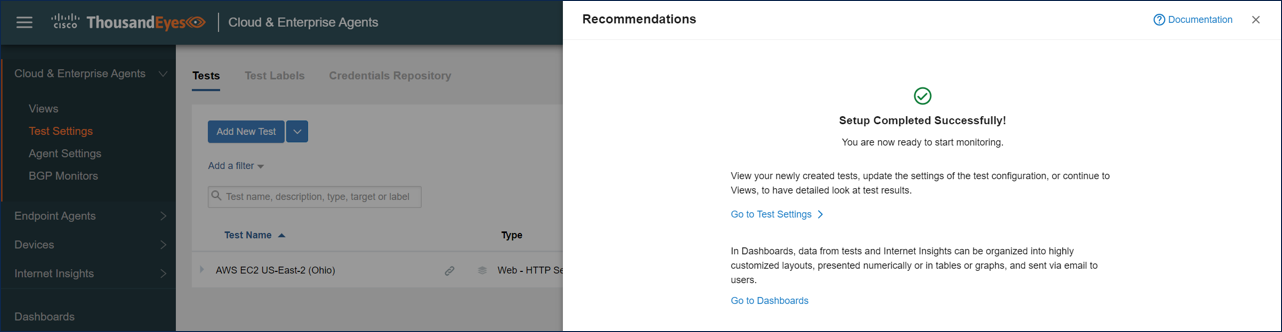
You should see a Setup Completed Successfully window after the deployment.
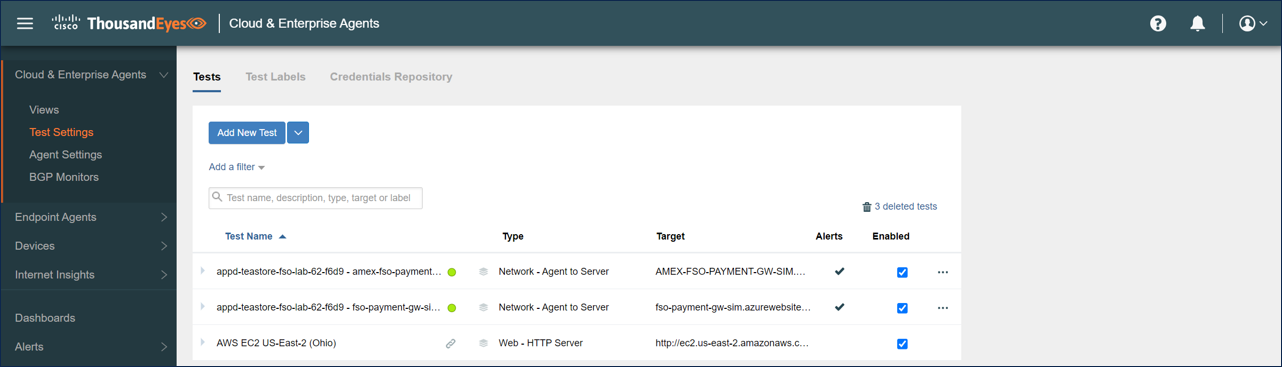
The tests should now be visible in the Test Settings menu, and you should be able to inspect the monitored data in the Views.
In the following sections, you will learn how to use the tests to improve your monitoring strategy for full stack observability.
You can find more detail about configuring Test Recommendations here and here.
Next
You will learn how AppDynamics matches domains monitored by ThousandEyes, how to see ThousandEyes data in AppDynamics BRUM applications, and how to manually add ThousandEyes test results to the AppDynamics BRUM application.