OAuth Bearer Token
Introduction
The first step in adding the ThousandEyes integration to AppDynamics is to create a Bearer token. The Bearer token is a type of access token used by client applications to authenticate themselves to a server, thereby gaining permission to perform certain operations. In your case, the Bearer token is generated in the Cisco ThousandEyes platform and then configured in the integration menu in Cisco AppDynamics. In this section, you will learn the configuration steps to generate an OAuth Bearer Token inThousandEyes and configure it in the AppDynamics controller.
Configure the OAuth Bearer Token Reference Only
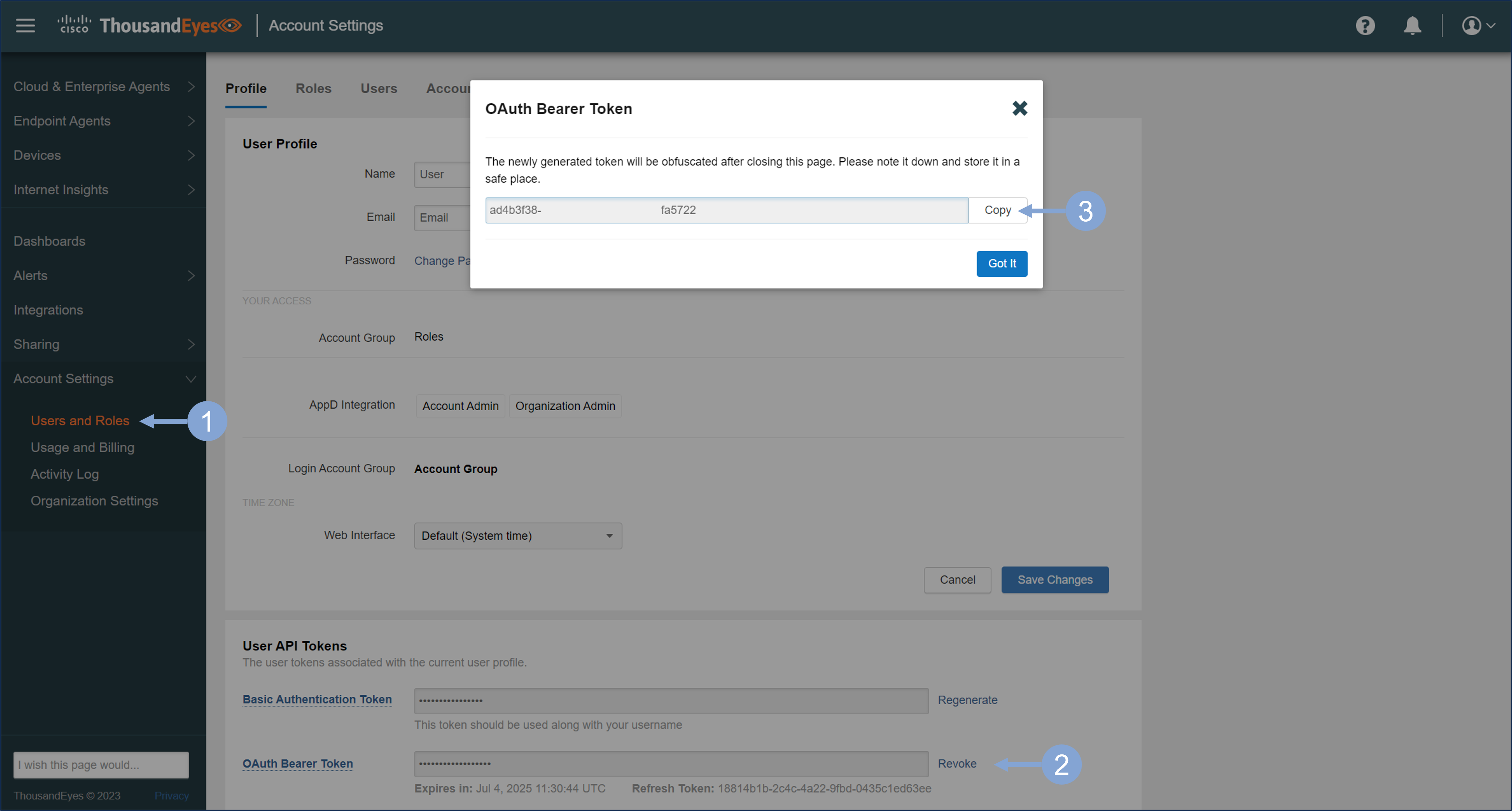
Navigate to the Cisco ThousandEyes platform. Use the steps you previously used to log in to ThousandEyes if you were logged out.
- In the left menu, under Account Settings, select Users and Roles
- Create a new OAuth Bearer Token at the bottom of the page under User API Tokens.
- If the Basic Authentication Token has not yet been generated, you must generate it first.
- You can revoke the token at any time and generate a new token. However, you must ensure that all integrations then use the new token.
- Copy the token somewhere, because you will need it in the integrations.
Next, open the Cisco AppDynamics controller. Use the steps you previously used to log in to AppDynamics if you were logged out.
- Click the gear icon in the upper-right corner of the controller UI, and select Administration
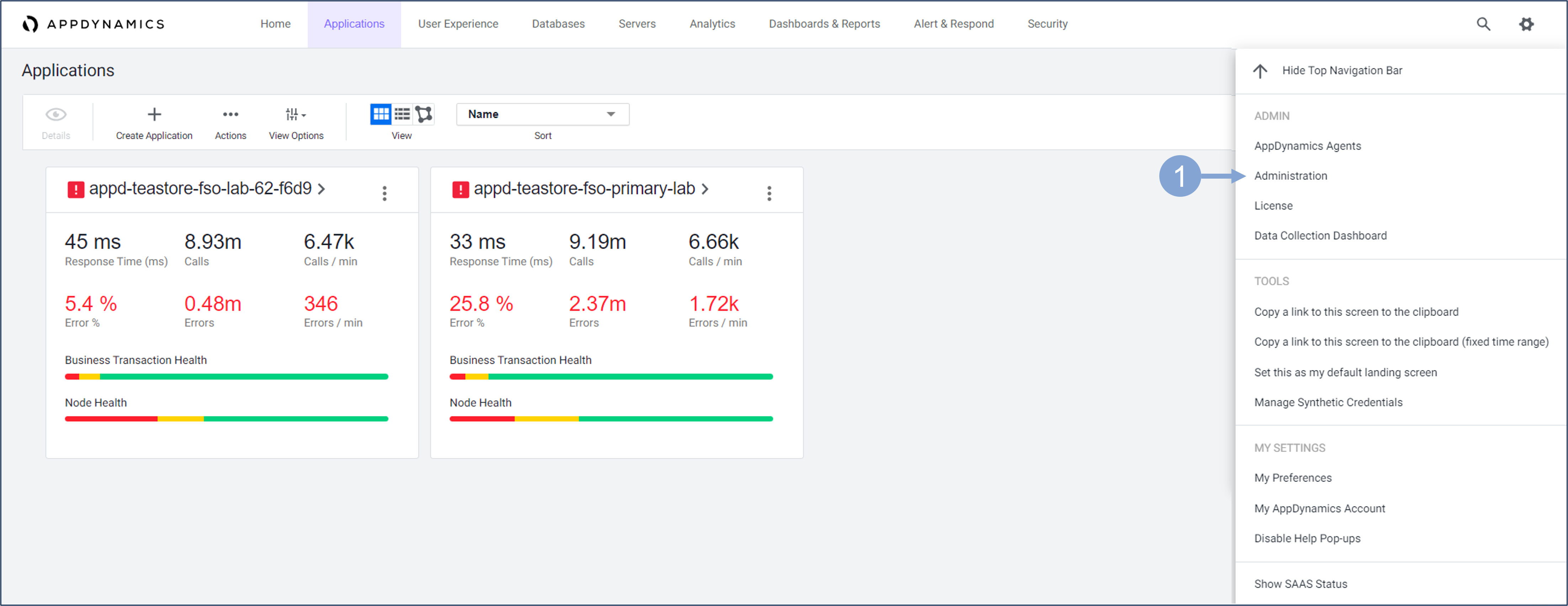
In the administration area you can manage users, API clients, roles and various integrations to external platforms.
- Navigate to the Integrations tab
- Select ThousandEyes for configuring ThousandEyes integration
- Enable the integration
- Enter the ThousandEyes Bearer token you generated in one of the previous steps
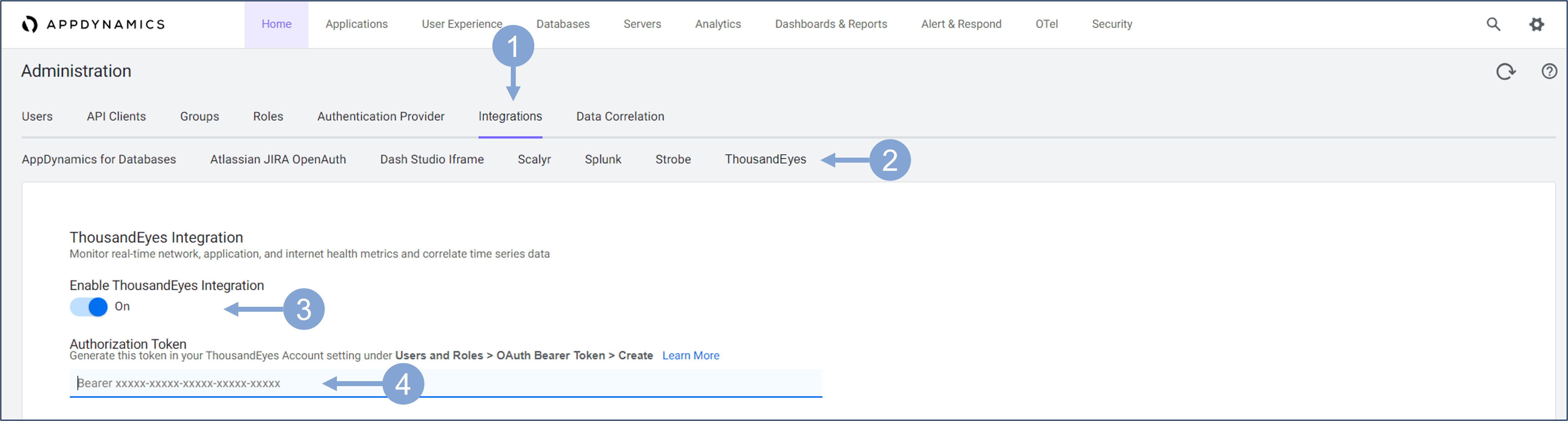
When you are done, make sure you save the changes
When you configure integration with ThousandEyes in AppDynamics Controller, you can use native ThousandEyes widgets in your Dash Studio dashboards and synchronize test domains to display ThousandEyes test results in AppDynamics Real User Montoring (RUM) applications. This also allows teams using AppDynamics primarily for monitoring to quickly observe the network health that ThousandEyes sees without leaving the controller UI.
In the later sections, you will learn how to leverage this integration in AppDynamics dashboards, and Browser Real User Monitoring Applications (BRUM).
You can find more detail about configuring the OAuth Bearer Token here.
Next
You will be guided through creating a bidirectional integration between AppDynamics and ThousandEyes by configuring the integration in ThousandEyes and adding the recommended network tests based on the services discovered.