TE Alert Notifications
Introduction
In this section, you will go through the steps to configure alert notifications from within ThousandEyes to forward ThousandEyes alerts to your AppDynamics application.
Configure Alert Notifications Reference Only
Configure bi-directional integration with Alert Notification Service in the ThousandEyes platform.
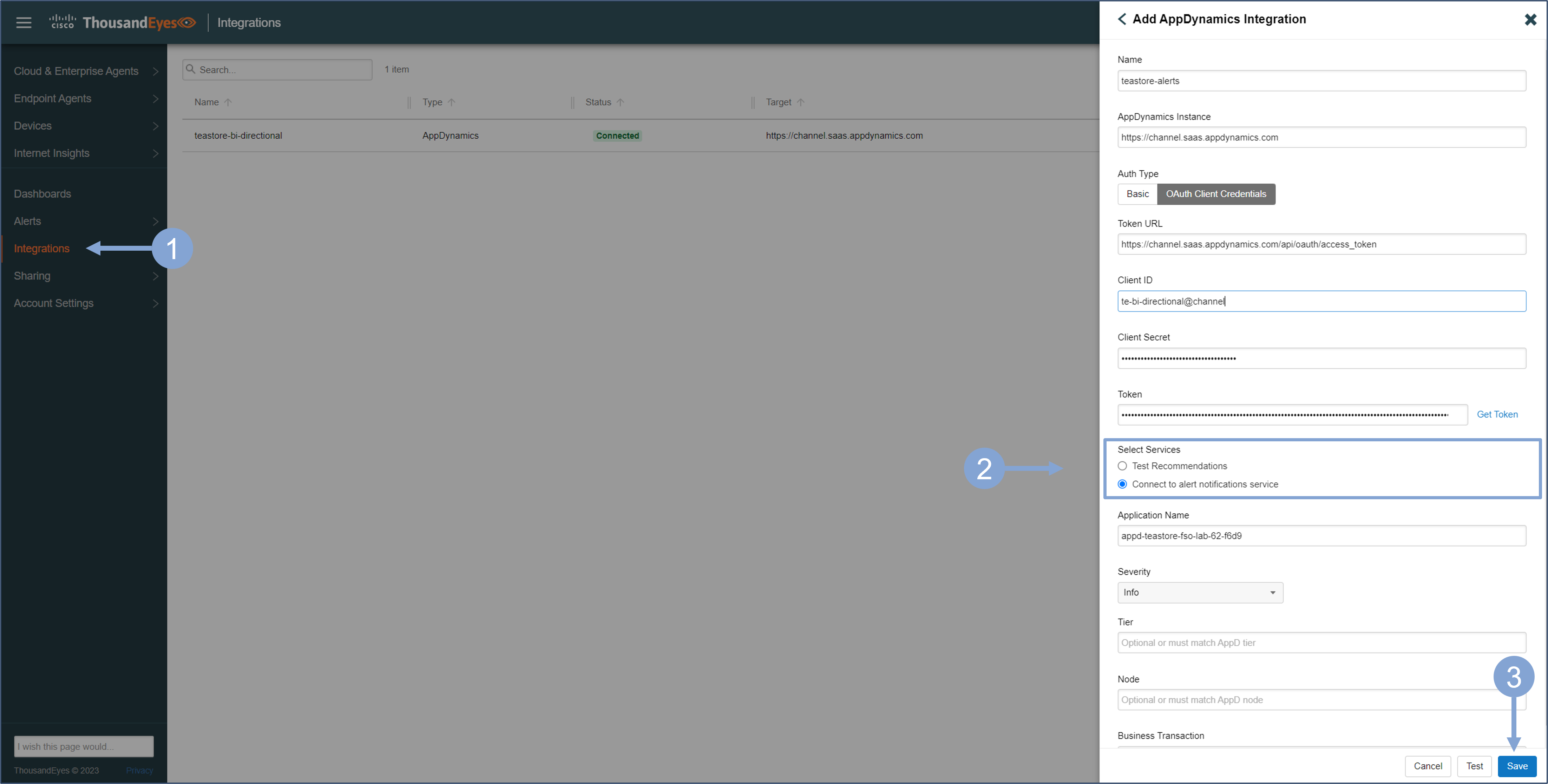
- In the left menu, select Integrations and click on + New Integration
- Select AppDynamics integration when prompted
- Provide the integration details, and make sure you select Connect to alert notifications service radio button
- You can use basic authentication or API client from AppDynamics
- Note that you must specify the business application because each alert is treated as an application-specific event in AppDynamics. Optionally you can attach alerts to specific Tier, Node, or even Business Transaction
- Save the integration
- You can also use the Test button to test the connection to AppDynamics before saving the alert integration
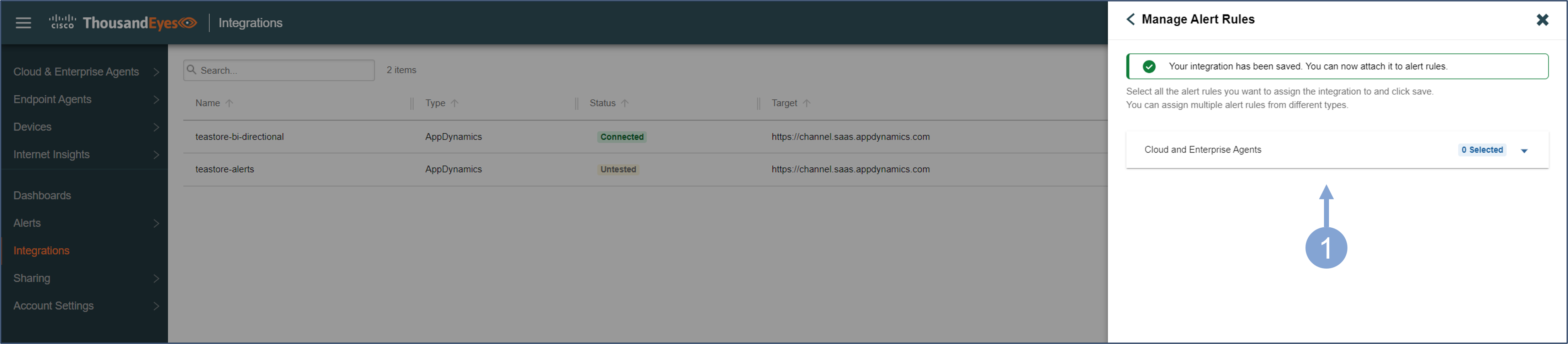
Select the alerts that should be part of the specific integration with a business application in AppDynamics.
- The next window suggests to select the alert rules that should be sent to AppDynamics as custom events
- As long as the integration is active, you can edit the associated alerts at any time
- If you want to use the Alert integration for multiple business applications or multiple tiers or business transactions, you must create multiple integrations in ThousandEyes for alert notifications and specify the connection details to the business application, tier, node, or business transaction in each integration.
- Default alerts are usually created using ThousandEyes tests, but you can also create your own. See Getting Started with Alerts for more details
Once alert integration is enabled, you will receive ThousandEyes alerts in your AppDynamics controller as custom events in the application dashboard. The first alert that comes from the ThousandEyes platform is a test event that indicates that alert integration is active.
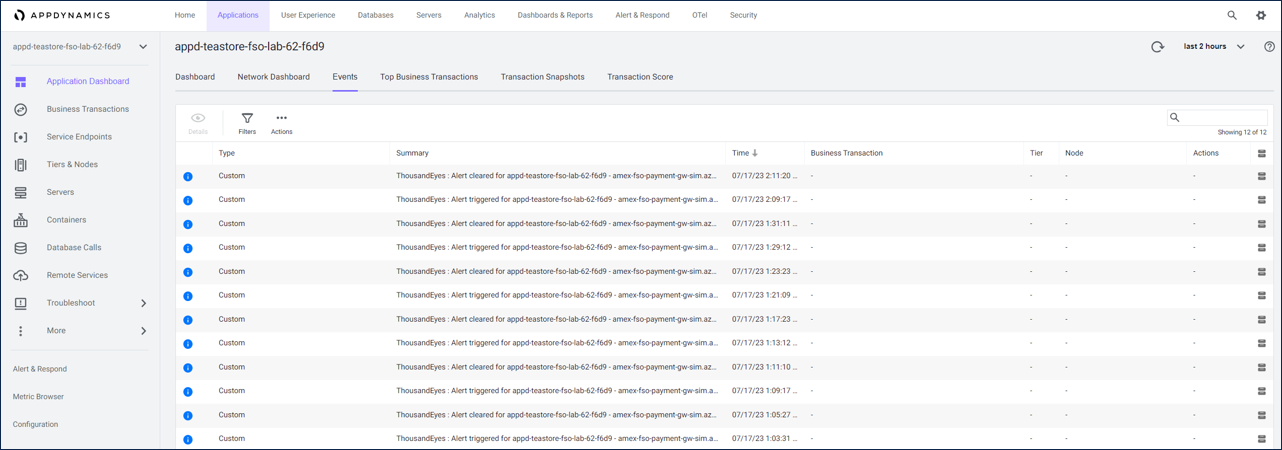
Alert integration allows teams to bring ThousandEyes alerts into AppDynamics so they can use the AppDynamics alert and response mechanism for ThosuandEyes events alongside traditional AppDynamics alerts, simplifying alert management.
You can find more detail about configuring ThousandEyes Alert Notifications here.
Next
You will do a hands-on exercise to create your own custom dashboard using Dash Studio and the data from the integration with ThousandEyes.